
Reactor1.7 - Get APK
You'll be able to download in few seconds.
Publisher Description
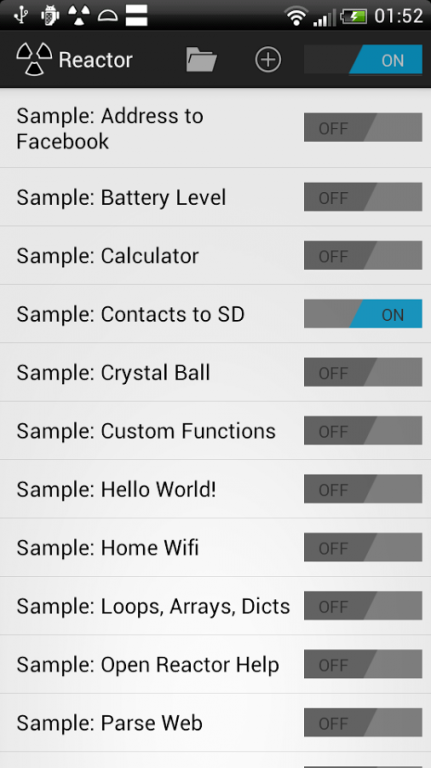
Android + Tasker + Grease Monkey + Radiation = Reactor (aka App Reactor)
Reactor is to Android what Grease Monkey is to Firefox. It is a simple yet powerful scripting engine for Android which gives you instant access to many Android OS functions.
With Reactor you can makes your Apps talk together and work together as it supports Intents and Content Providers. You can automate many common tasks with custom scripts.
You can also write simple Apps without the need of the whole Android SDK.
If you are non-technical you can use scripts which others have created. There will be a library of useful scripts published on the project's web site. A script can be downloaded to Reactor by scanning a QR code.
This version of App Reactor is FREE without any limitations other than only one script may be run at a time. To allow multiple scripts in parallel, please install the Reactor Unlock which is also available on the Android Market.
Features:
- NOW integration with Facebook and Twitter
- scan (QR code) & run
- background service with runs your scripts
- auto-start after boot
- syntax highlighting
- debug mode
- a library of functions which allows you to use intents, content providers, media, files, simple UI elements such as dialogs, alerts or notifications, do HTTP requests, use location, toggle radio and more...
Here is a simple example script which turns off your Wifi if you arrive home:
while(true) {
// put your home location here
iAmHome = near(50.03806166078905, 14.329100847244263, 1500);
if (iAmHome) {
log("At home");
enableWifi(true);
}
sleep(120000);
}
Please find more examples on your website.
About Reactor
The company that develops Reactor is Urbandroid Team. The latest version released by its developer is 1.7.
To install Reactor on your Android device, just click the green Continue To App button above to start the installation process. The app is listed on our website since 2014-03-18 and was downloaded 0 times. We have already checked if the download link is safe, however for your own protection we recommend that you scan the downloaded app with your antivirus. Your antivirus may detect the Reactor as malware as malware if the download link to com.urbandroid.reactor is broken.
How to install Reactor on your Android device:
- Click on the Continue To App button on our website. This will redirect you to Google Play.
- Once the Reactor is shown in the Google Play listing of your Android device, you can start its download and installation. Tap on the Install button located below the search bar and to the right of the app icon.
- A pop-up window with the permissions required by Reactor will be shown. Click on Accept to continue the process.
- Reactor will be downloaded onto your device, displaying a progress. Once the download completes, the installation will start and you'll get a notification after the installation is finished.
Program Details
System requirements
Download information
Pricing
Version History
version 1.7
posted on 2014-03-18
1.7 fixes in httpRequest, waitForConnectivity and startIntent
version 1.3.1
posted on 2012-10-10
Several fixes and updates
Disclaimer
External Download
We do not host Reactor on our servers. We did not scan it for viruses, adware, spyware or other type of malware. This app is hosted by Galad and passed their terms and conditions to be listed there. We recommend caution when installing it.
The APK Download link for Reactor is provided to you by apps112.com without any warranties, representations or guarantees of any kind, so access it at your own risk.
If you have questions regarding this particular app contact the publisher directly. For questions about the functionalities of apps112.com contact us.
